60W Rotating USB-C to USB-C Cable: Easier Fast Charging
60W USB-C to USB-C Cable with 180° Rotating Connector: Fast Charging Without the Bend
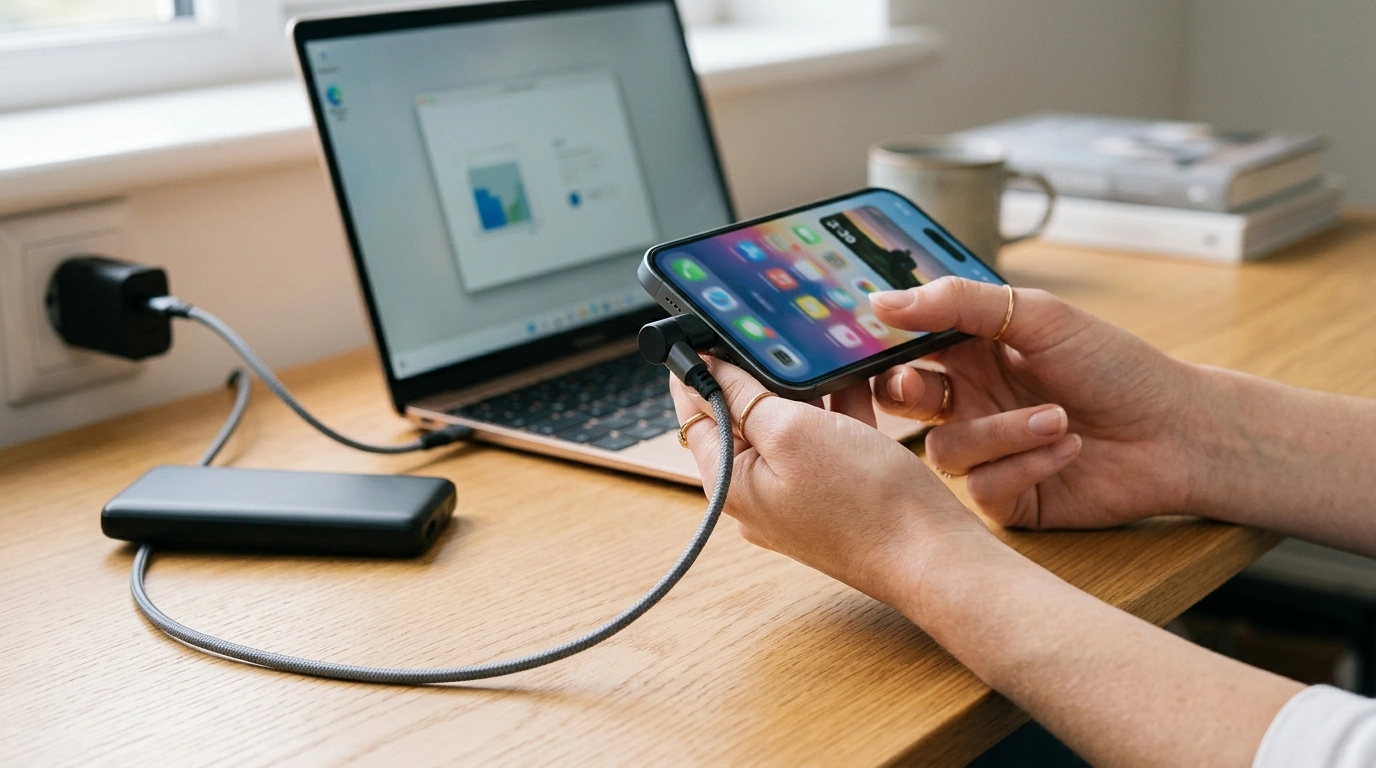
A rotating USB-C connector can make everyday charging feel less awkward—especially when a phone is in use, mounted, or wedged near a wall outlet. A 60W (3A) USB-C to USB-C cable is built to handle common USB Power Delivery charging profiles, while a 180° rotating head helps route the cable in a more natural direction. Below is a practical breakdown of what 60W really means, when the rotating design helps most, and how to get reliable charging across phones, tablets, laptops, and power banks.
What the 60W rating means for real devices
A “60W” USB-C to USB-C cable is typically intended for up to 20V/3A Power Delivery scenarios. That doesn’t guarantee your device will always charge at 60W—charging power is negotiated between the charger and the device, and the cable simply needs to support the required current safely.
Phones often draw far less than 60W in everyday fast charging. Even so, the extra headroom helps prevent the cable from becoming the limiting factor when using a higher-output USB-C charger. Many tablets and ultraportable laptops fall right into the 45–60W range, making a 60W cable a practical “one-cable” choice for mixed devices. If a laptop expects 65W or more, it may still charge slowly, pause charging under load, or reduce performance depending on how its power management works.
For broad compatibility, USB Power Delivery (USB PD) matters. With USB PD, a device can request higher voltage levels (commonly 9V, 15V, or 20V) instead of being stuck at 5V. For reference, the USB-IF publishes official documentation for USB Power Delivery and the USB Type-C Cable and Connector specifications.
Typical power needs and what a 60W USB-C cable can support
| Device type | Common charging range | What to expect with a 60W (3A) cable |
|---|---|---|
| Smartphone | 10–30W (varies by model and charger) | Plenty of headroom; speed depends on charger + phone fast-charge protocol |
| Tablet | 18–45W | Often supports full-speed charging if charger matches |
| Ultrabook laptop | 45–60W | Can support normal charging with a 60W USB-C PD charger |
| Higher-power laptop | 65–140W | May charge slowly, limit performance, or not charge under load |
Why a 180° rotating connector can be more comfortable
The everyday annoyance with many straight USB-C cables isn’t the plug—it’s the bend. A rotating connector lets you angle the cable downward or sideways, so the wire doesn’t immediately kink against your hand, a stand, or the edge of a couch cushion.
This is especially noticeable when:
- Holding a phone in landscape while streaming or gaming, where the cable usually presses into your palm.
- Using a controller clamp or handheld grip that crowds the port area.
- Charging in a car mount where the cable must route cleanly without pulling the connector sideways.
- Charging near a wall outlet or power strip where there’s little clearance behind the device.
Rotation should feel stable rather than floppy. A firm hinge is important so the chosen angle stays put, reducing wobble at the port while you move the device.
Charging speed and stability: what matters most
Fast charging isn’t just “the cable.” A 3A cable is one piece of the chain, but the charger must offer enough wattage and the device must request a compatible PD profile. If any piece is mismatched, charging may fall back to a slower mode.
For steadier charging and fewer interruptions:
- Use a USB-C charger that supports USB PD for broad, cross-brand compatibility.
- Keep the USB-C port clean; pocket lint can cause poor contact, heat, or intermittent charging.
- Avoid sharp bends immediately behind the connector. Even with a rotating head, a gentle curve improves cable lifespan.
- If charging seems unusually slow, test with a different outlet and charger; on laptops, heavy workloads can exceed incoming power and make it look like charging “isn’t working.”
Compatibility checklist before buying
Durability and safe use tips for rotating cables
Best everyday use cases for a rotating USB-C cable
Product options (in stock)
- 60W USB-C to USB-C Cable for Fast Charging – 180° Rotating Design, 3A Current Support
- Waterproof Triangular Bicycle Frame Bag – Versatile Cycling Accessory
- Smart AI Robot Companion & Alarm Clock for Kids
FAQ
Will a 60W USB-C to USB-C cable fast charge my phone?
Usually, yes—if you pair it with a fast USB-C charger and a phone that supports fast charging (often via USB Power Delivery). The phone ultimately controls how much power it draws, so results vary by model and charger.
Can a 60W (3A) USB-C cable charge a laptop?
It can charge many ultrabooks and USB-C-chargeable laptops that accept 45–60W. For laptops that need 65W or more, it may charge slowly or may not keep up during heavy use.
Does a rotating USB-C connector reduce port damage?
It can help by reducing sharp bends and side-load on the USB-C port, especially when you’re holding or mounting the device while it charges. Durability still depends on avoiding yanks, keeping a stable angle, and unplugging by the connector body rather than the cable.














Leave a comment